Full Description
View Full Description
Take advantage of multiple mic positions
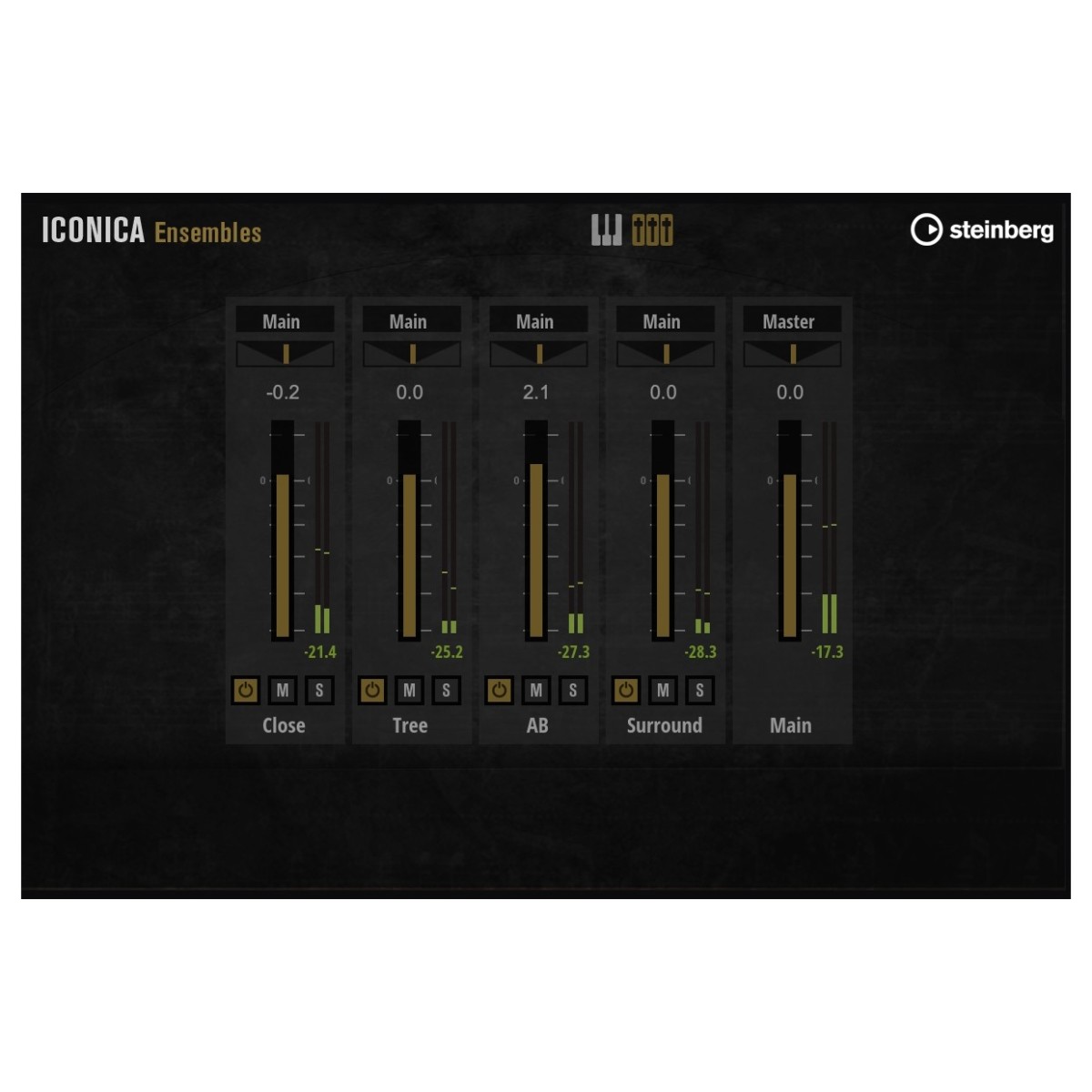
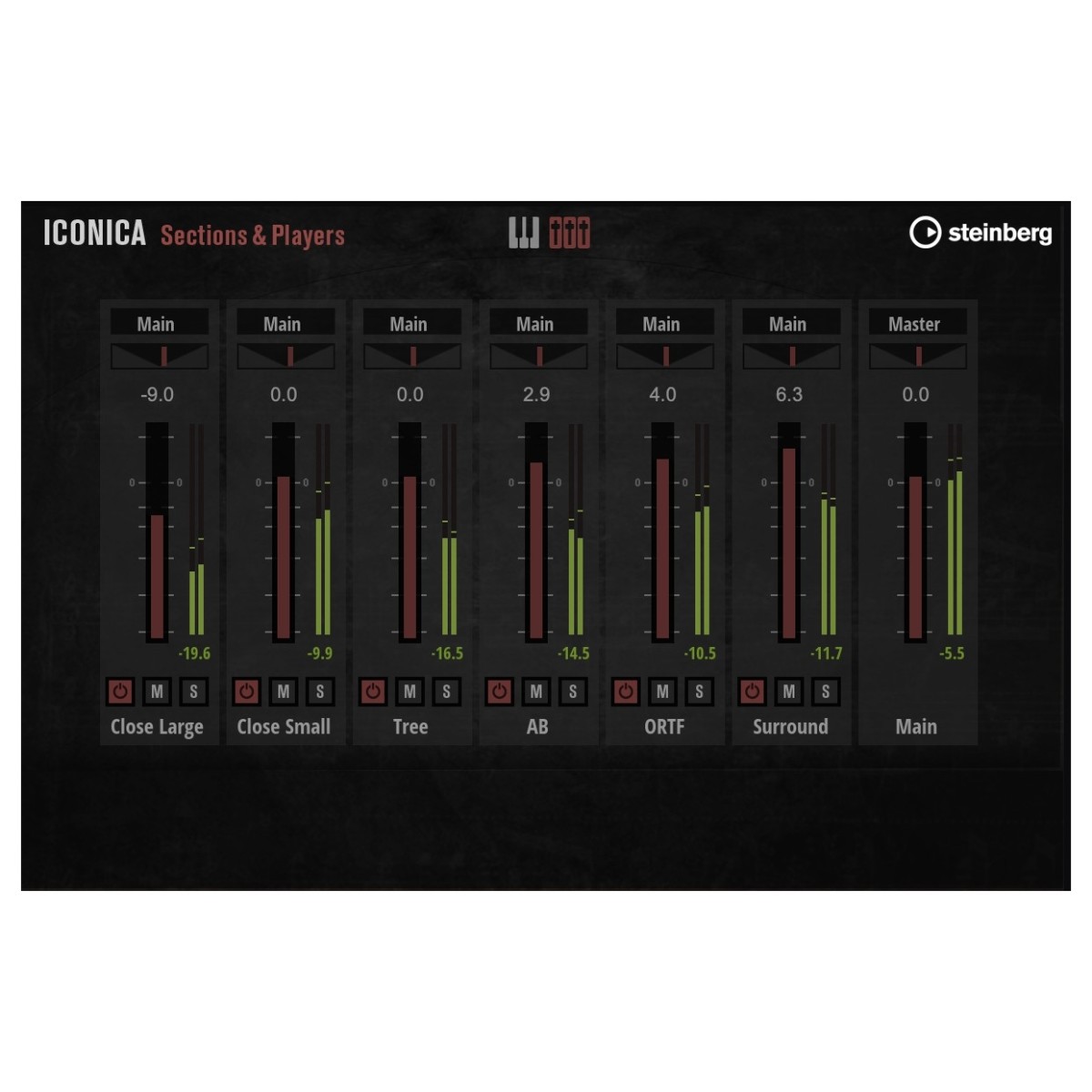
Iconica Opus gives you detailed control over orchestral perspective through the microphone positions captured during recording. Within the Mixer Page, you can adjust the volume and loading status of individual positions, as well as assign them to separate outputs. This makes it easier to shape the balance between direct instrument detail and the natural room character of Funkhaus Berlin. Iconica Ensembles also uses microphone controls across its presets, so you can fine-tune perspective while working with complete orchestral sections. If you're building a detailed mix or quickly establishing a convincing orchestral space, these controls give you practical options directly within the libraries.
Make articulations respond to your performance
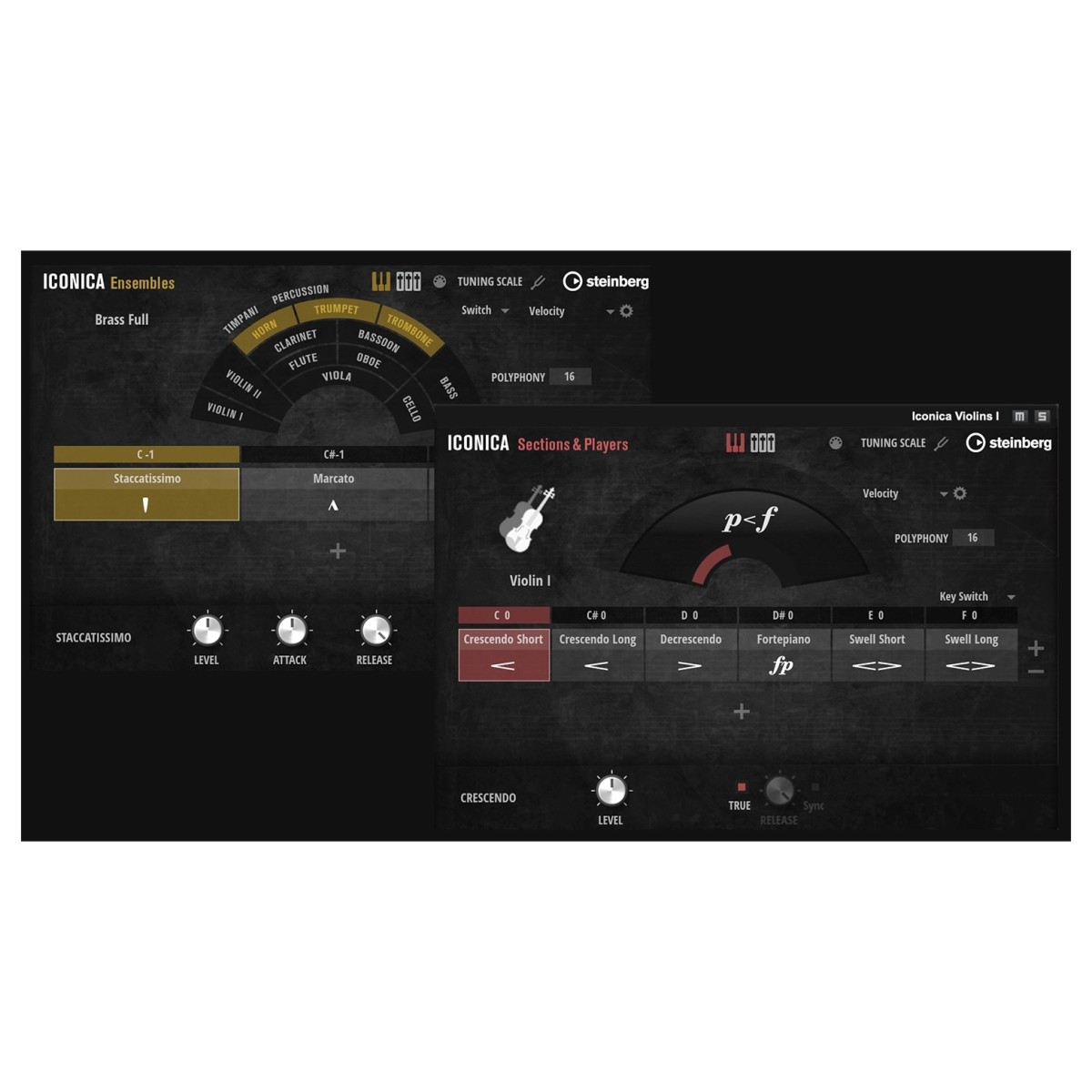
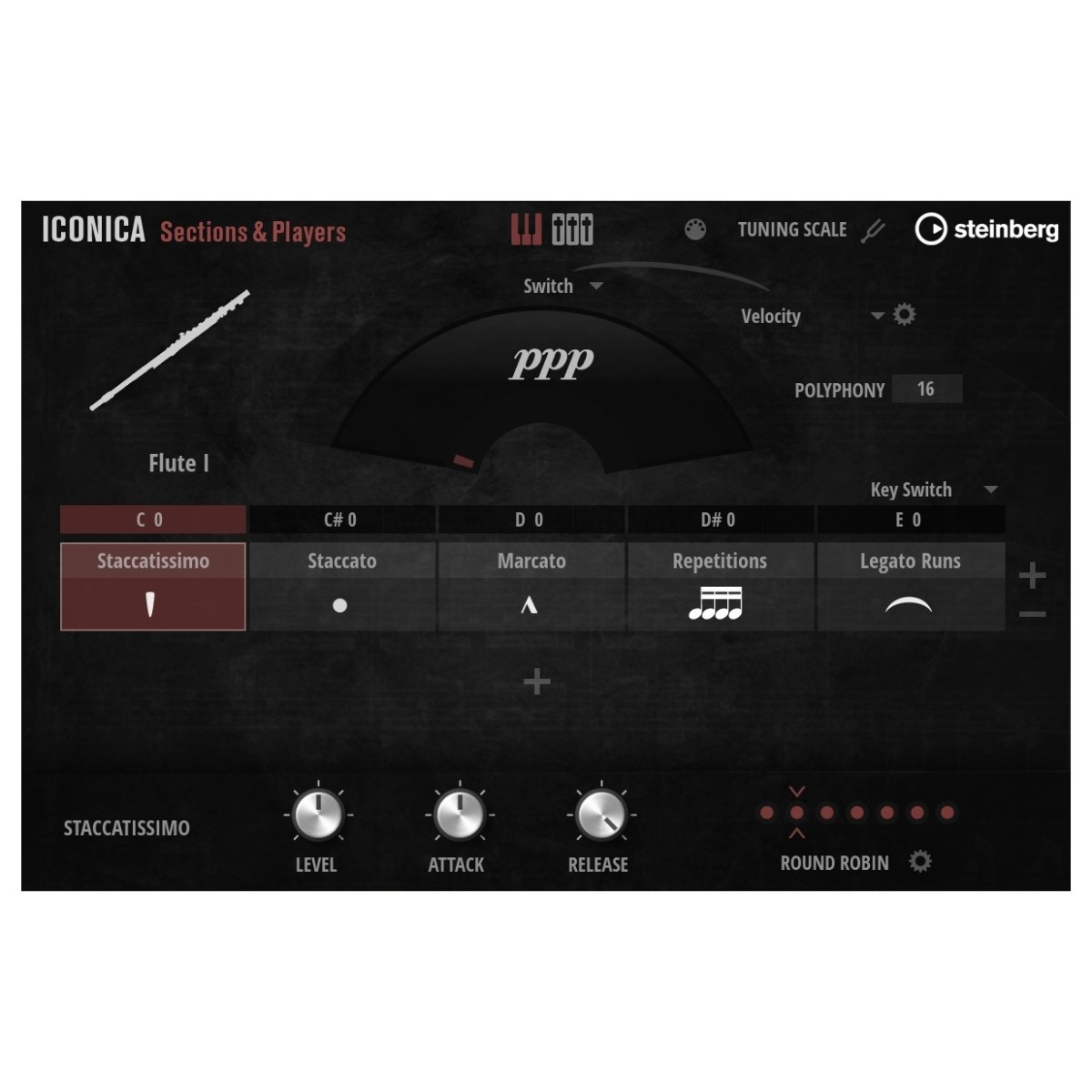
Adaptive True Legato helps Iconica Sections & Players follow the way you actually perform a passage. Its transitions automatically change according to input speed, becoming shorter during faster playing and longer as you slow down. This creates more natural-sounding note progressions without requiring you to manually adjust every transition. There’s plenty of articulation control elsewhere, too. Iconica Opus offers more than 500 articulations across its content, while the Cell Rack can hold up to 16 loaded articulations in an X/Y grid. Assignable keyswitches let you move between techniques or trigger multiple cells together, giving you an efficient way to build layered performances.
Build arrangements faster with ready-made ensembles
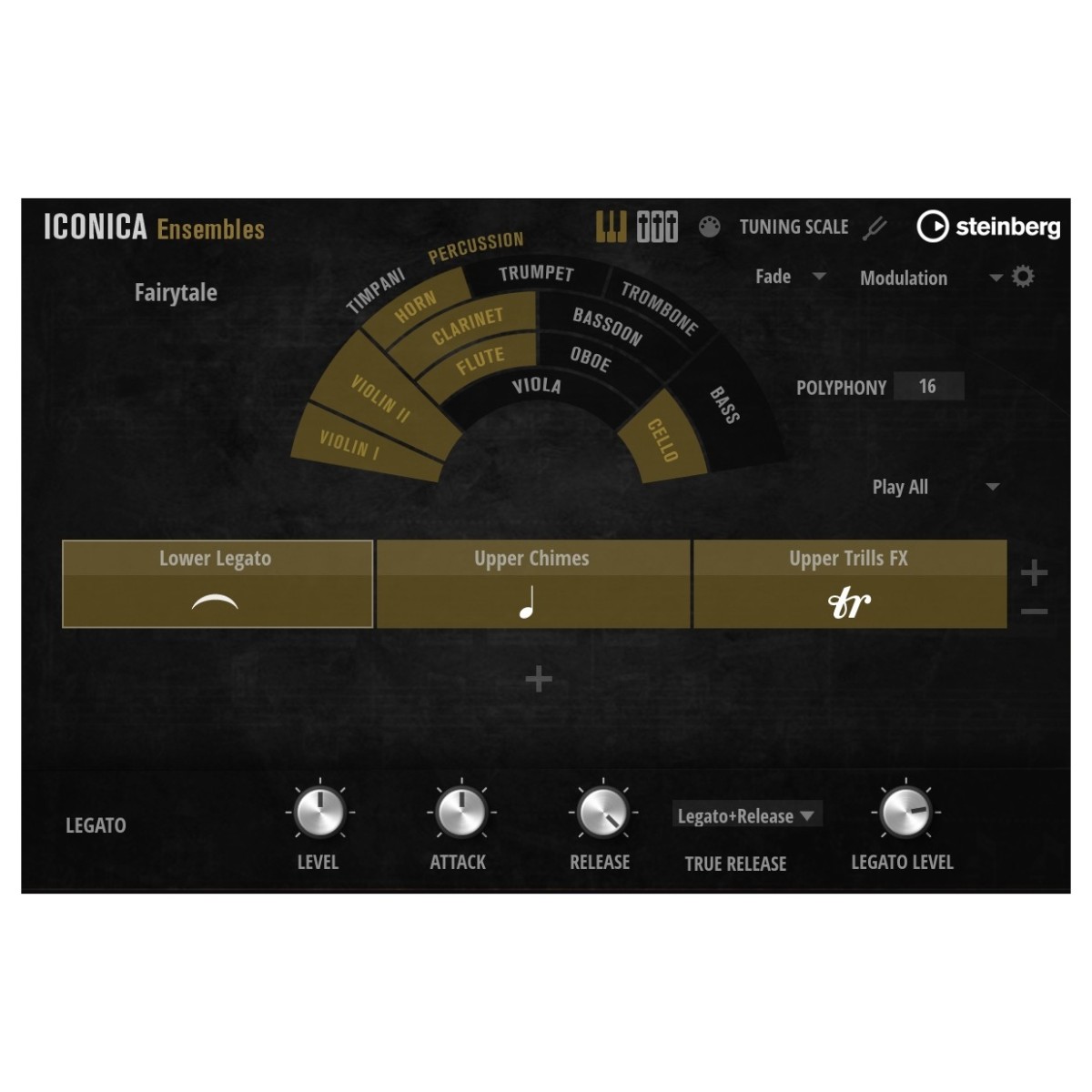
Iconica Ensembles is designed to streamline orchestral writing when you need to sketch ideas or work towards a short deadline. More than 40 presets bring together matched strings, brass, woodwind, and percussion sections, helping you develop arrangements without constructing every orchestral combination individually. Each preset was recorded with the sections positioned in their correct orchestral locations, giving you an established spatial balance as you write and mix. VST 3 Note Expression and Expression Maps also provide additional control for creating individual textures and aleatoric effects. Combined with the Cell Rack's articulation handling, this makes it easier to move between broad musical ideas and more detailed orchestration.
Detailed recordings captured at Funkhaus Berlin
Iconica was recorded entirely at Funkhaus Berlin in collaboration with Orchestral Tools. The sessions took place in Studio 2, a 400 m squared room with a 10.5-metre floor-to-ceiling height and an approximate 1.5-second reverb time. Across a month of recording, 76 musicians contributed to the library, including 50 string players. The studio's acoustic separation allowed individual orchestral sounds to be captured with plenty of detail, while multiple microphone positions preserve different perspectives of the recording space. Iconica Opus brings these recordings together by combining the Sections & Players and Ensembles libraries, giving you both detailed individual sections and efficient ensemble-based tools within one orchestral bundle.
Reviews
"This product is a game changer for the HALion platform! The orchestral sounds recorded with great acoustics convince me to such an extent that I previously only knew from specialized libraries." - David Christiansen (Film composer for Disney, Pixar and The Witcher III)
"Iconica is a really terrific-sounding orchestral library that checks a lot of the boxes for me. Most important is that it is quick and easy to use. The interface is intuitive and the patches are programmed in a way that you can get great-sounding results very quickly. It is a solid and welcome addition to my workflow." - Danny Lux (Grey's Anatomy, Manifest, Boston Legal, Halloween Resurrection)
Specifications
- Operating system:
- Mac: macOS Big Sur, macOS Monterey, macOS Ventura, macOS Sonoma, macOS Sequoia
- Windows: Windows 10 (64-bit), 64-bit Windows 11 Version 21H2 (or higher)
- Format:
- Mac: VST 3, AAX or AU
- Windows: VST 3 or AAX
- Disk Space: 190GB
- Activation: Internet connection required for activation, download, account setup and personal / product registration. Additional software is required for the installation
- Please note: Please note that this library requires the free HALion Sonic 7 or the full version of HALion 7
- Product code: 1527-95