Full Description
View Full Description
Keep natural vibrato intact
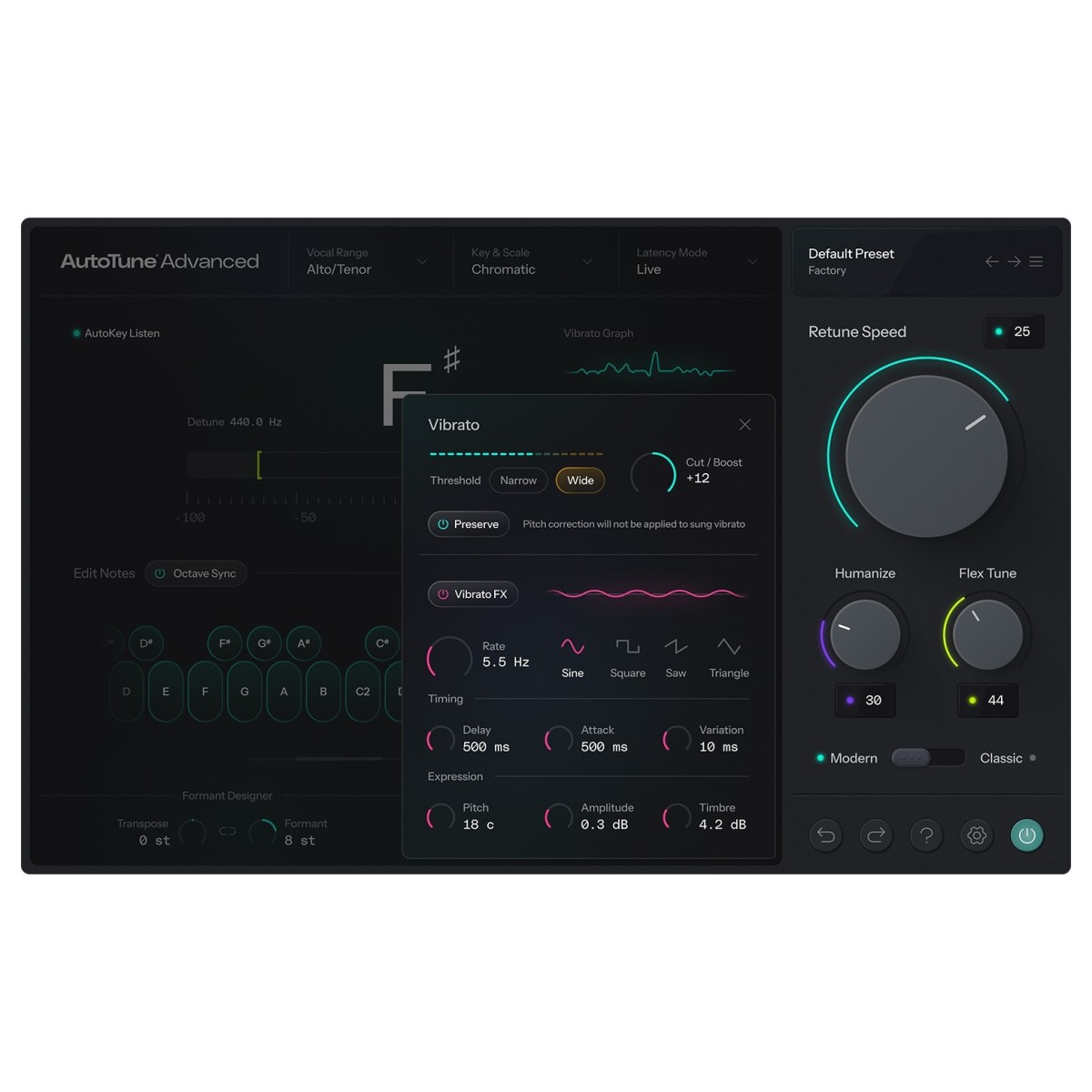
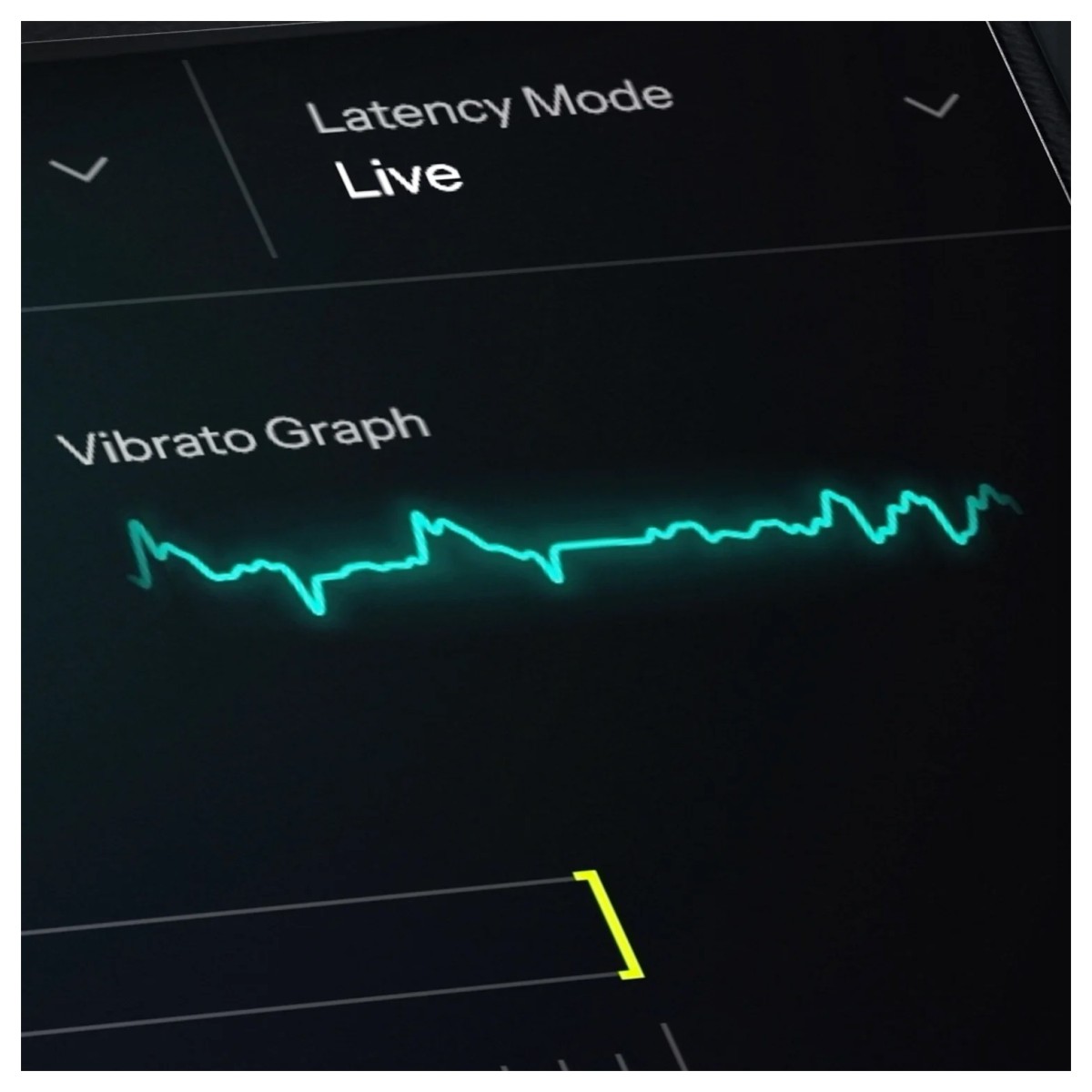
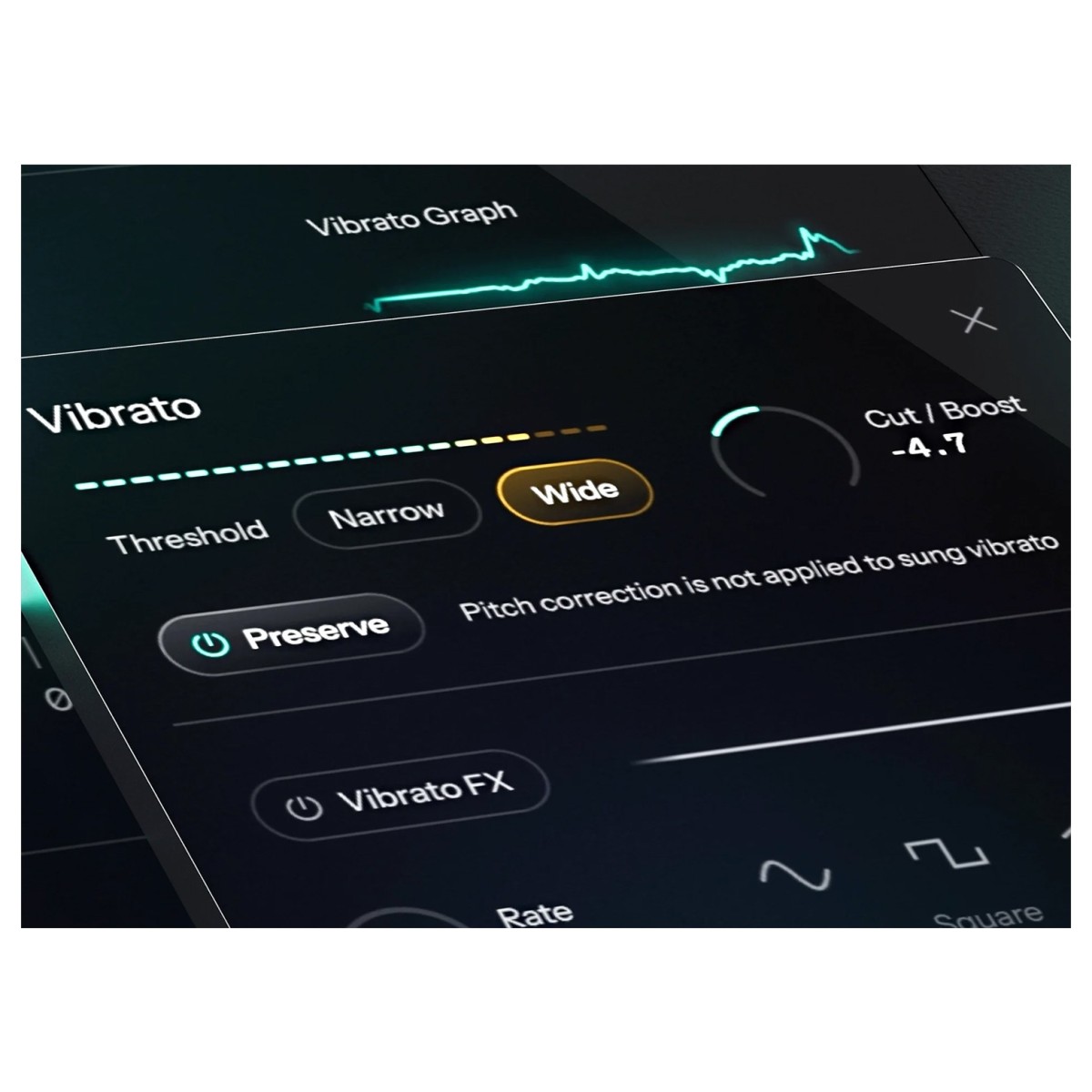
DVA is the new vibrato engine at the heart of AutoTune Advanced, designed to preserve the vocal movement that makes a performance sound human. It detects the vibrato a singer intended to produce and separates that movement from the pitch variations requiring correction. As a result, AutoTune can move the vocal towards the target note without automatically flattening its natural vibrato.
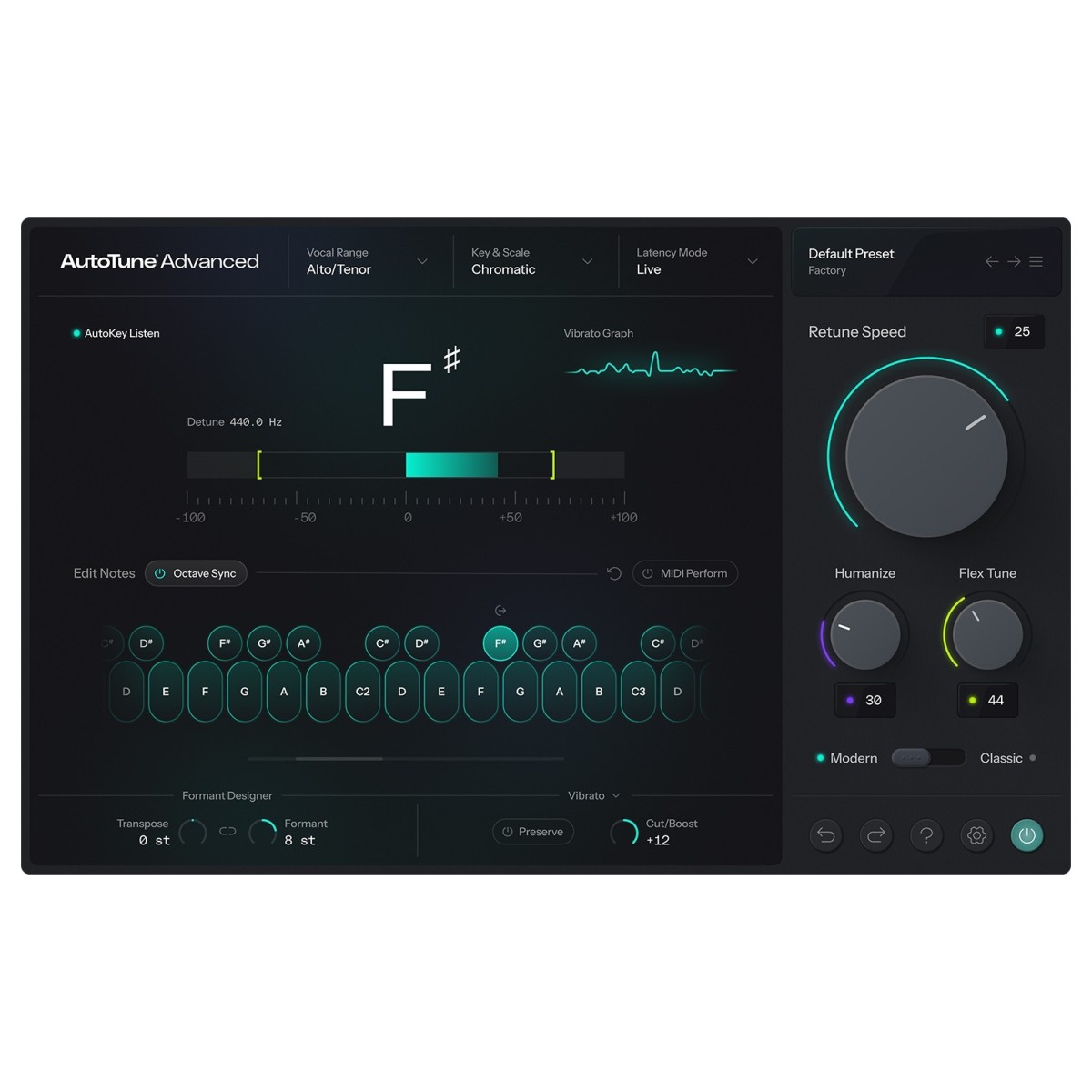
A real-time visualiser shows what DVA detects as the vocal plays, so you can see how the processing is responding rather than relying on guesswork. Once the singer's vibrato has been identified, you can leave it intact, reduce it, or increase it by ear to suit the track.
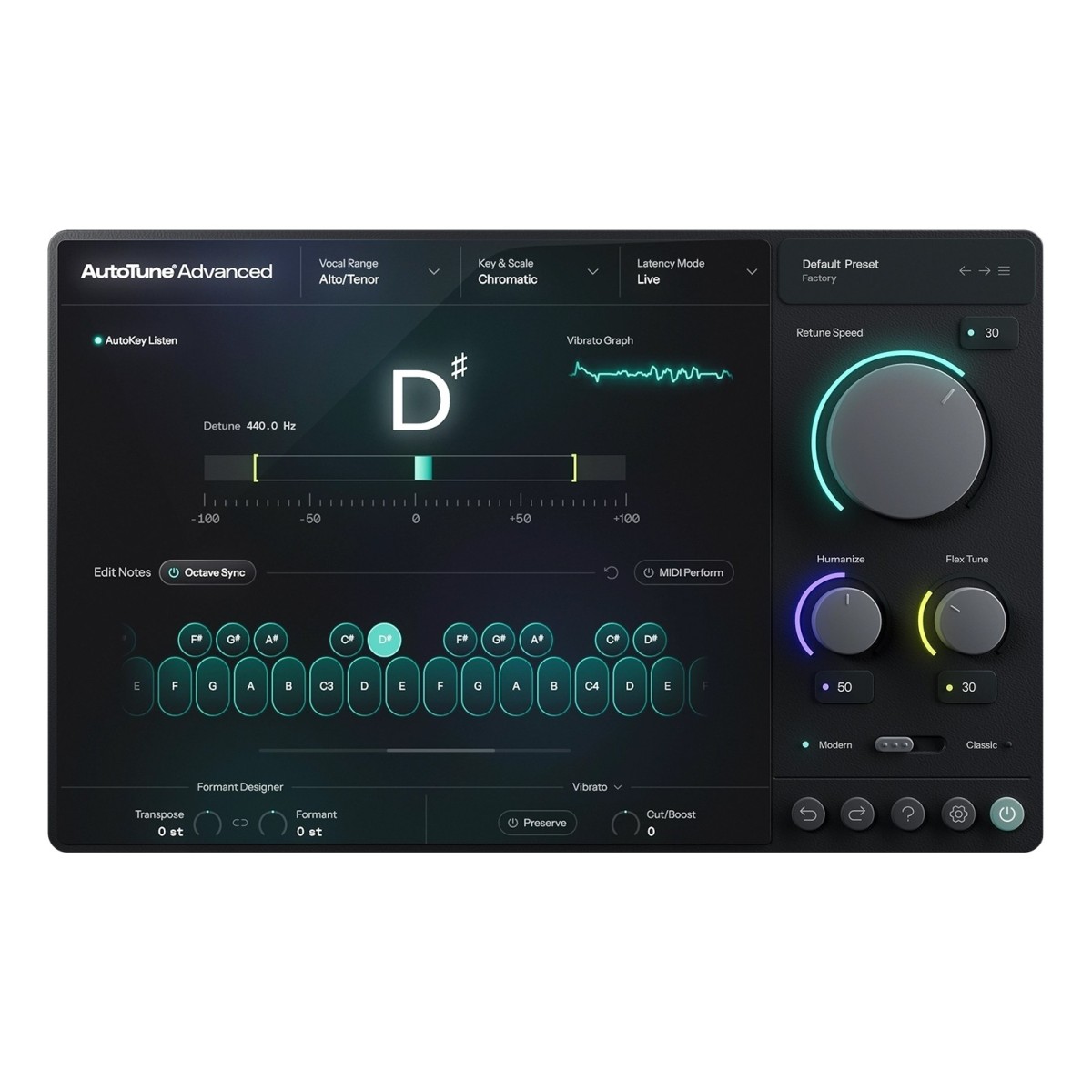
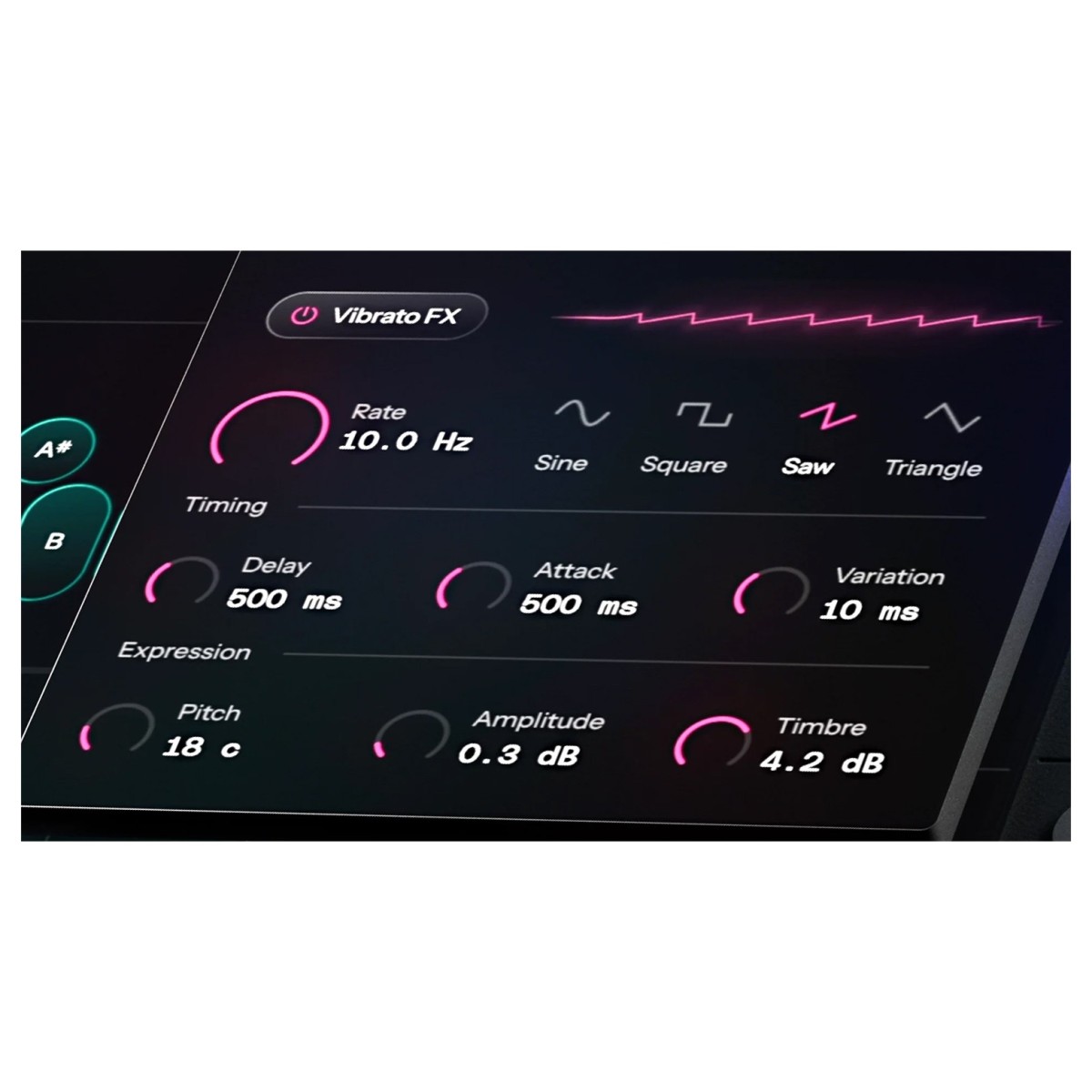
DVA isn't limited to transparent correction either. You can generate vibrato where none was originally present, with sine, square, saw, and triangle shapes available for more creative processing. Pair this with Retune Speed, Flex Tune, and Humanize, and you can control pitch firmly while retaining expressive movement between notes and avoiding unnaturally rigid sustained vocals.
The fastest pitch correction to date
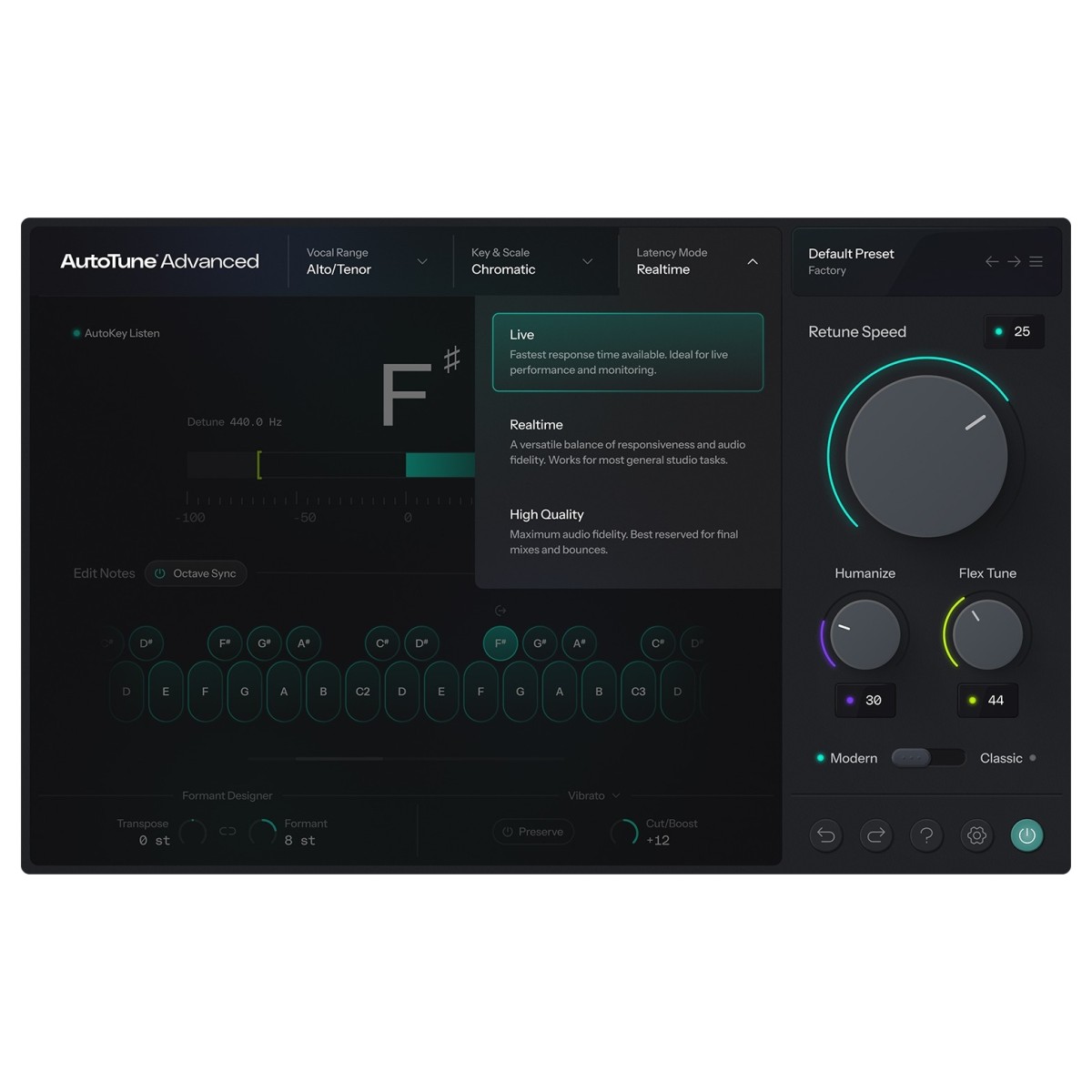
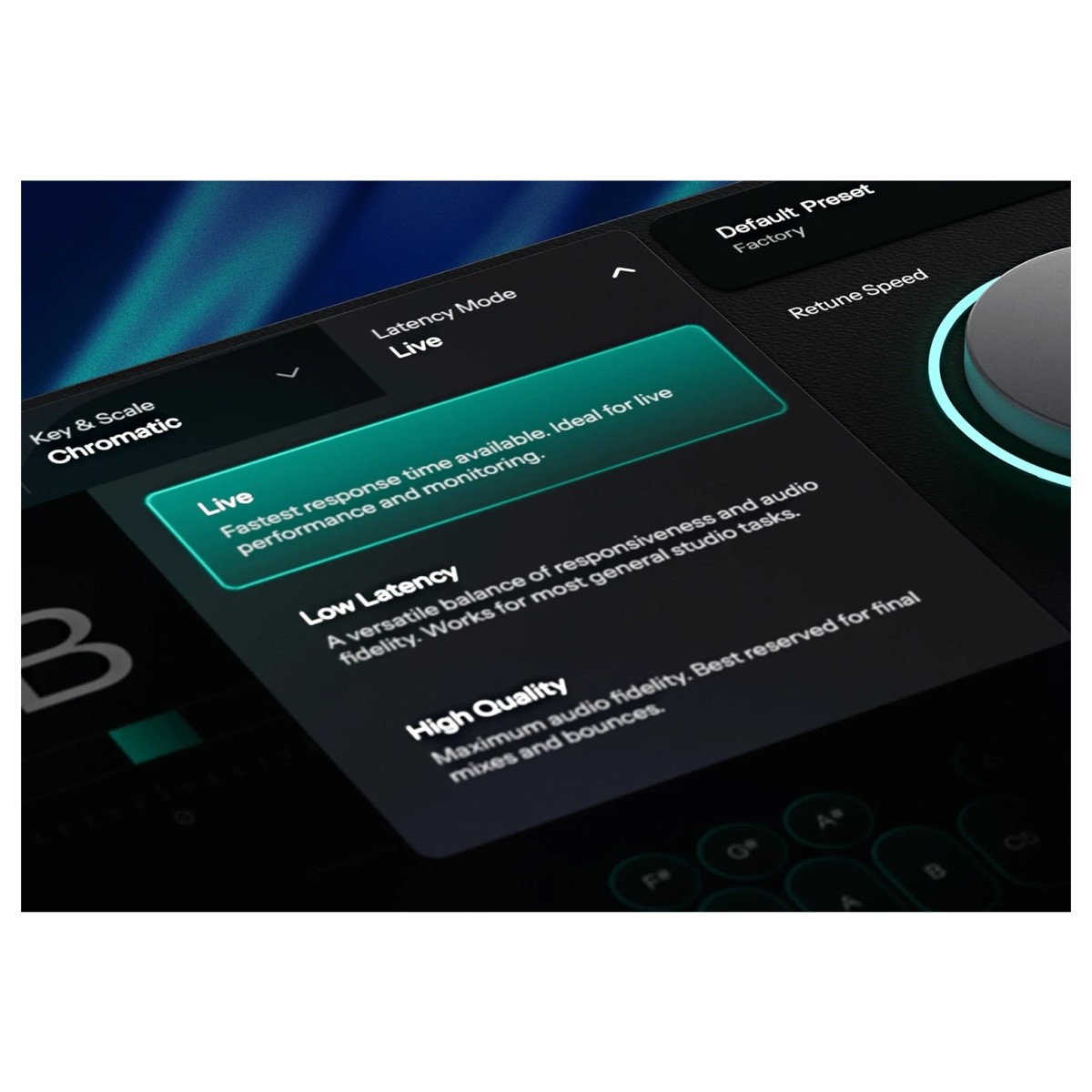
Pitch correction doesn't have to get between the vocalist and their performance. AutoTune Advanced introduces a Live latency mode that operates below 1ms across every supported sample rate from 44.1 to 192kHz. This makes it suited to live performance and real-time studio monitoring, where hearing a noticeable delay can make singing feel disconnected.
Three latency settings let you adapt the processing to different stages of a session. Live provides the fastest available response for tracking and performance. Low Latency offers a balance between responsiveness and audio fidelity, making it the versatile option for general studio work. When it's time to commit the final mix or bounce, High Quality mode prioritises maximum audio fidelity instead. Underneath these modes is a Modern DSP foundation designed to keep CPU use low and performance reliable when sessions become more demanding.
Shape pitch and vocal character
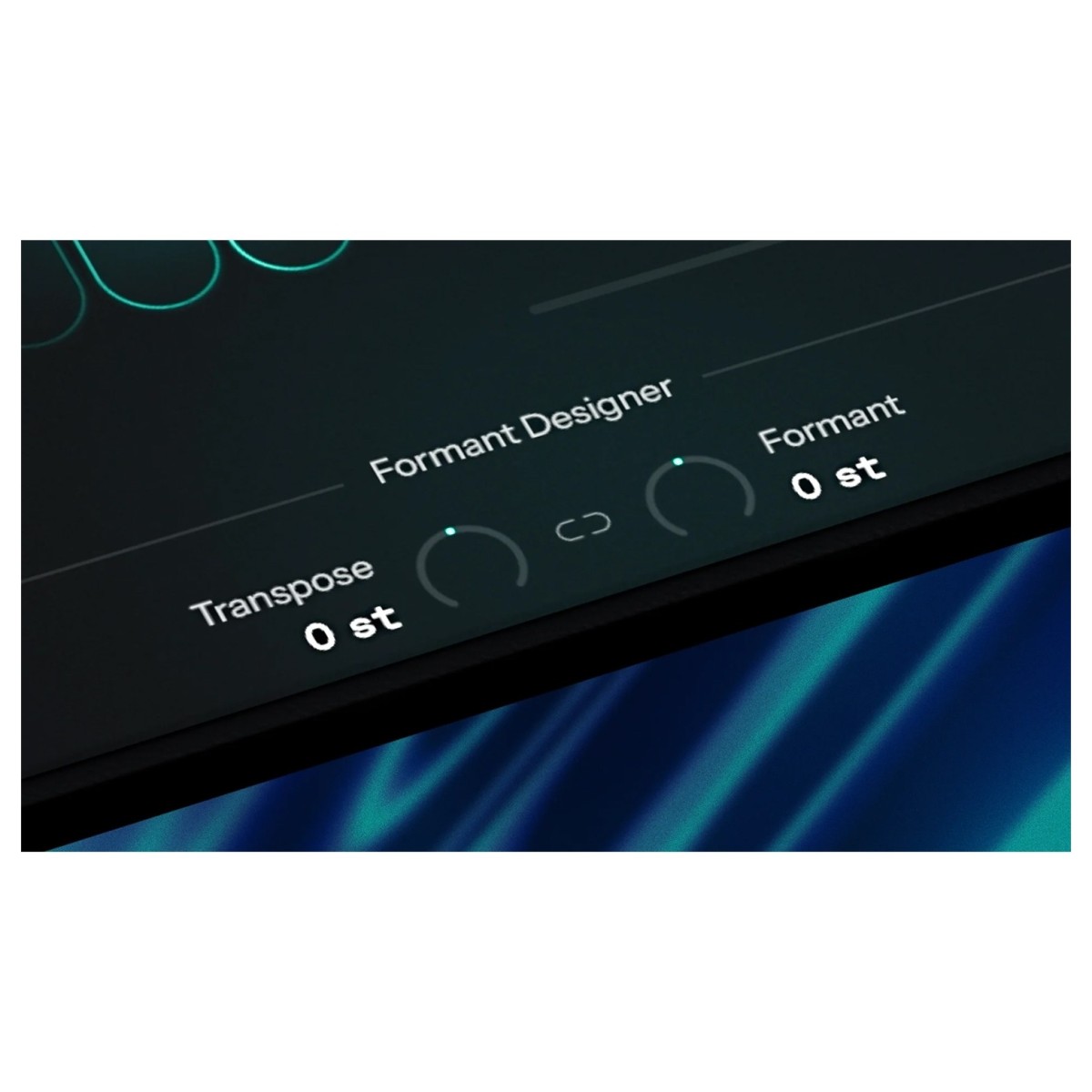
The redesigned Transpose and Formant Designer give you control over two closely related, but distinctly different, parts of a vocal. Transpose moves the vocal's pitch across a ±12-semitone range, while Formant Designer adjusts the apparent size and character of the singer. This lets you change how high or low a vocal sounds without being locked into the corresponding change in vocal character.
Link the two controls when you need straightforward transposition, or unlink them when you're after something less conventional. You could pitch a vocal down while independently adjusting its formants, for example, or use different formant settings to create contrasting versions of the same voice.
Control correction note by note
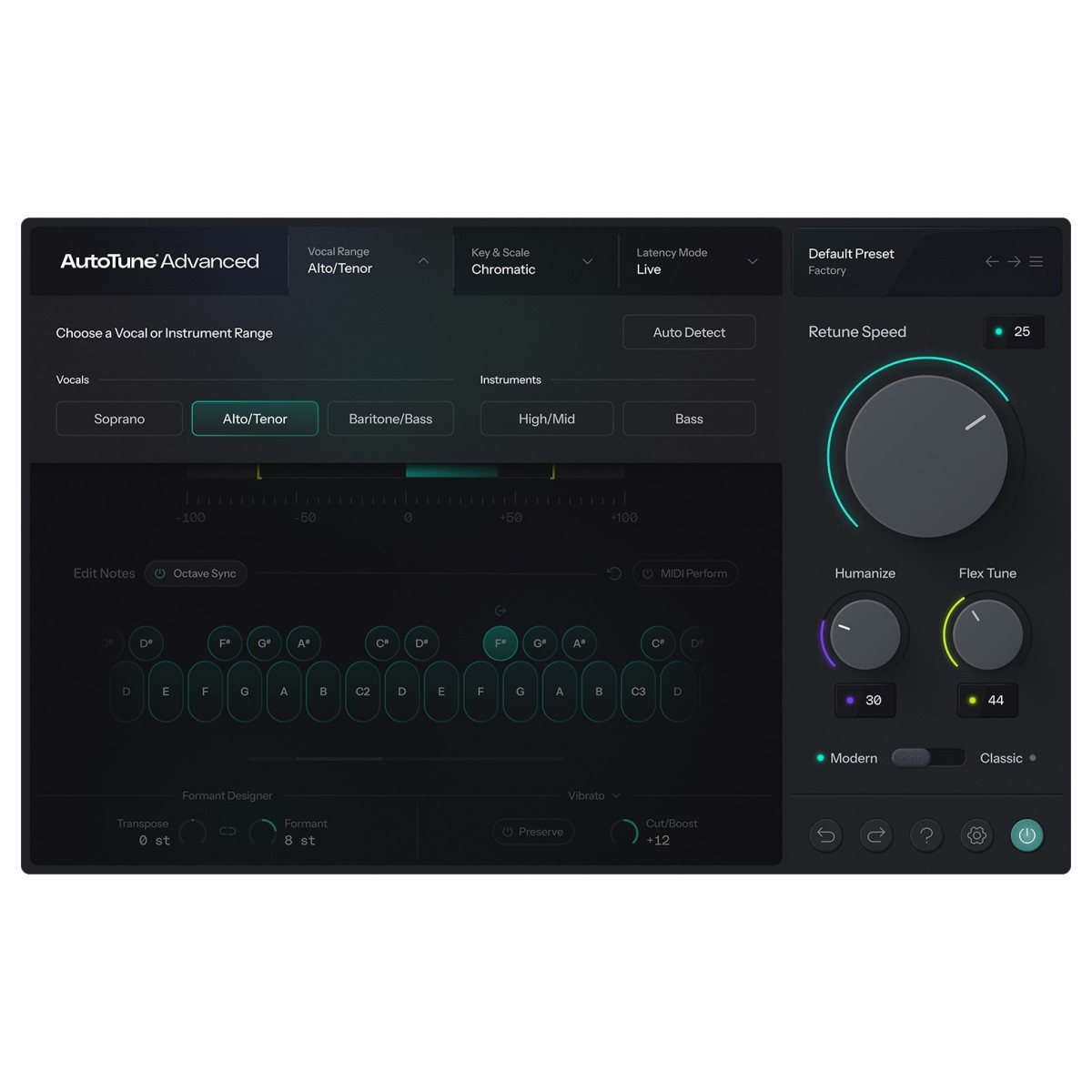
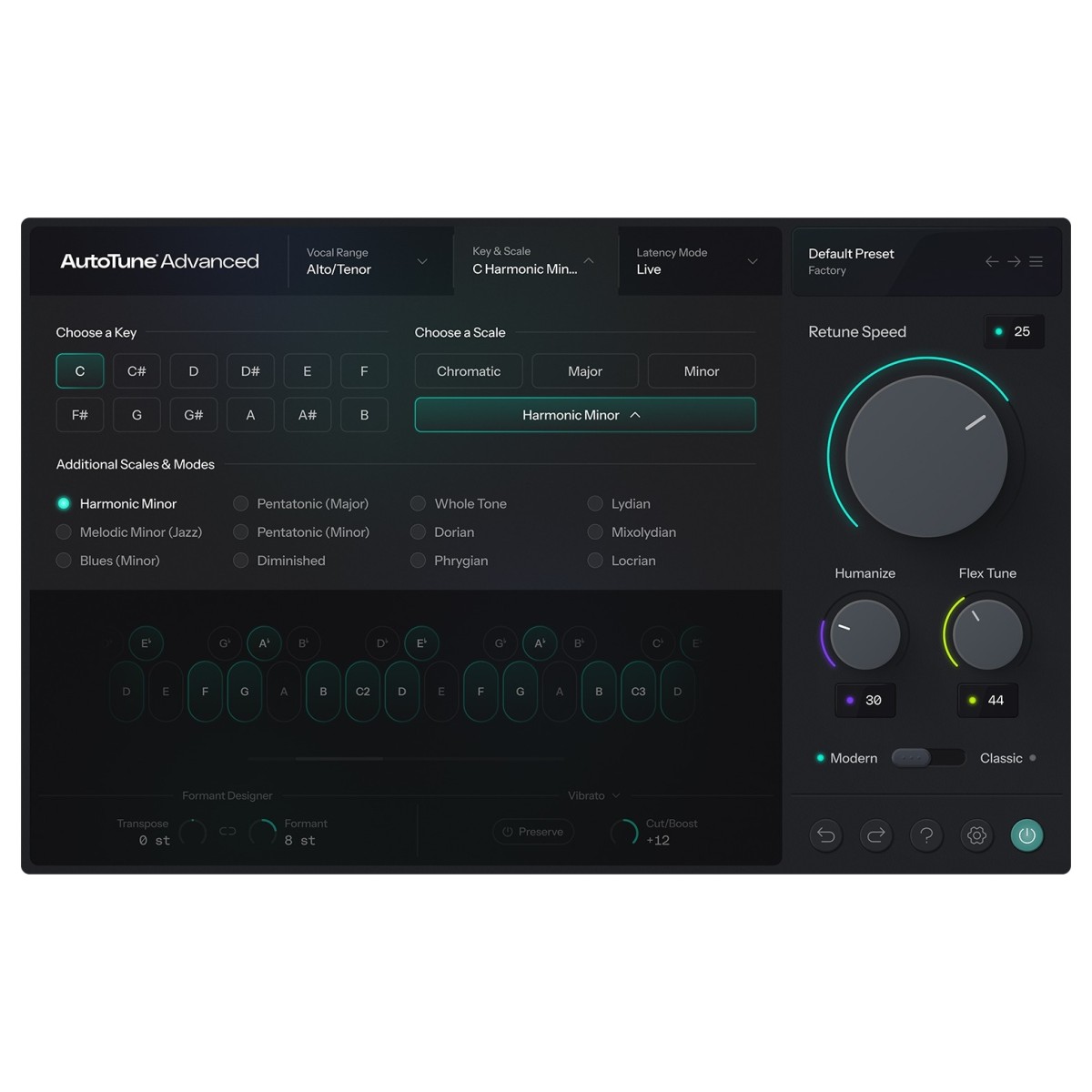
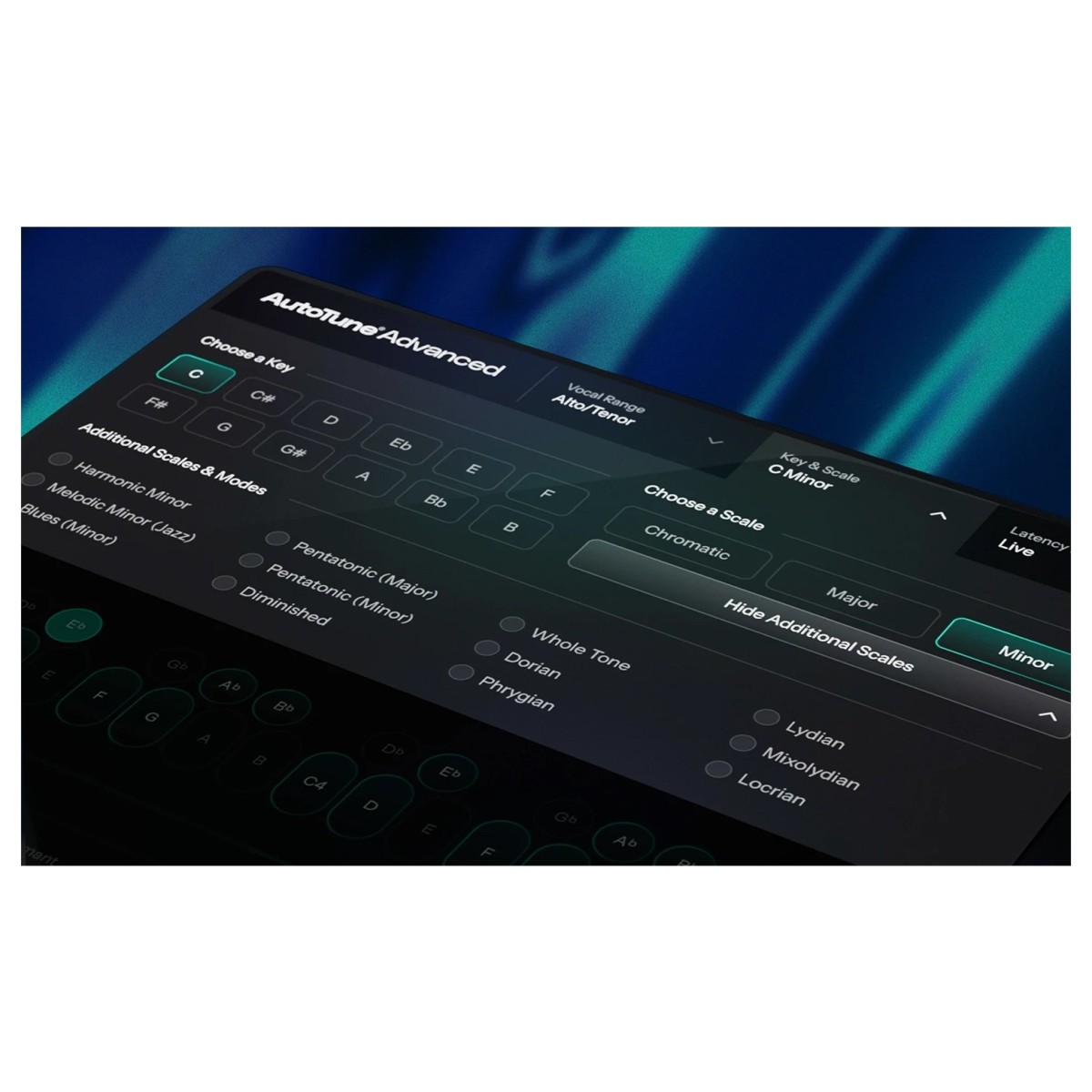
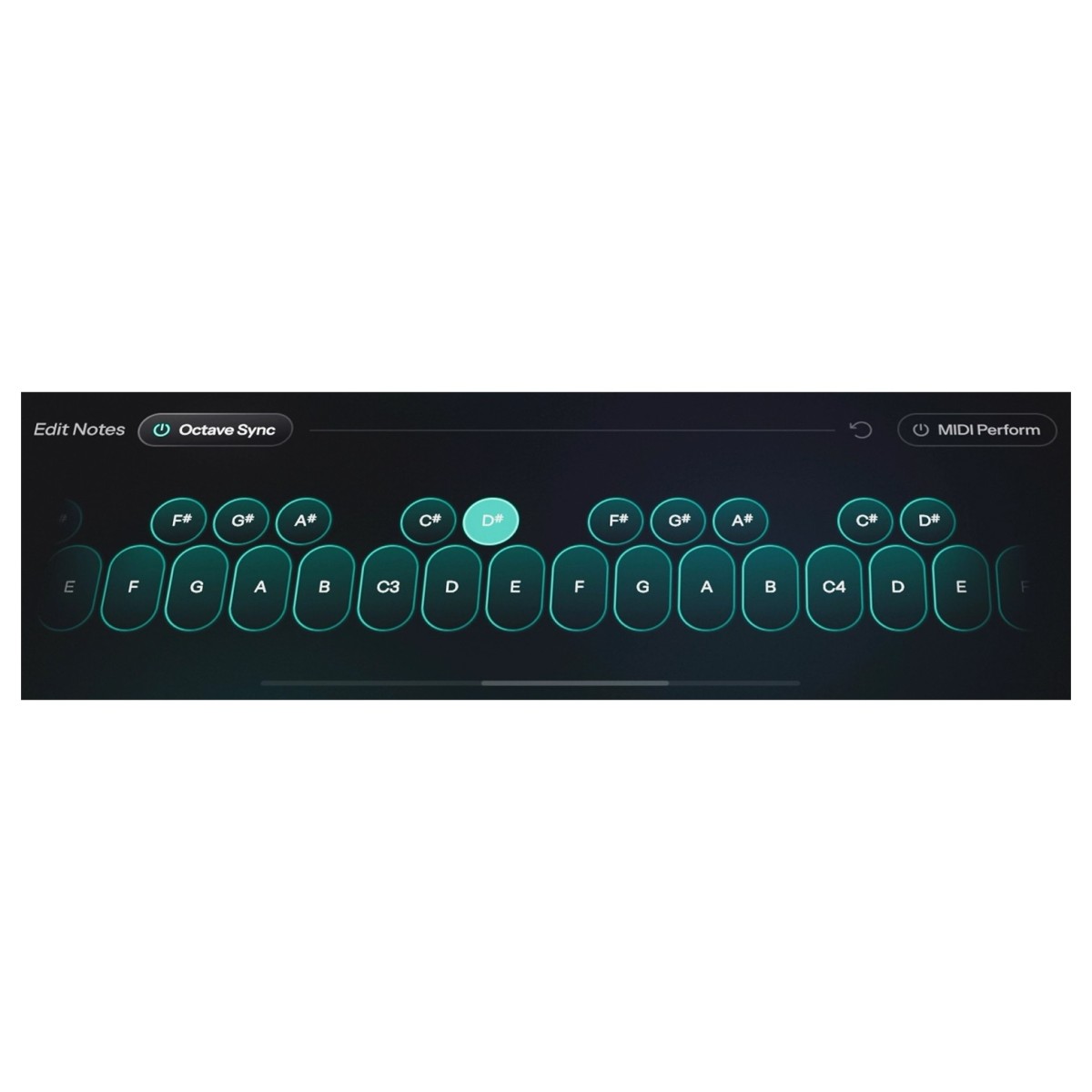
The redesigned key and scale workflow gives you more control over what AutoTune Advanced corrects in the first place. All 12 keys and available modes are presented together, reducing the need to move through menus when establishing the tonal centre of a track. For finer adjustments, a 78-key Visual Keyboard lets you work directly with individual pitches. Notes can be included or excluded from the scale, bypassed when they should remain untouched, or retuned where correction is required. This is particularly useful when a performance contains intentional bends, runs, and vocal-fry tails that you don't want automatic correction to remove.
Choose the AutoTune workflow that fits
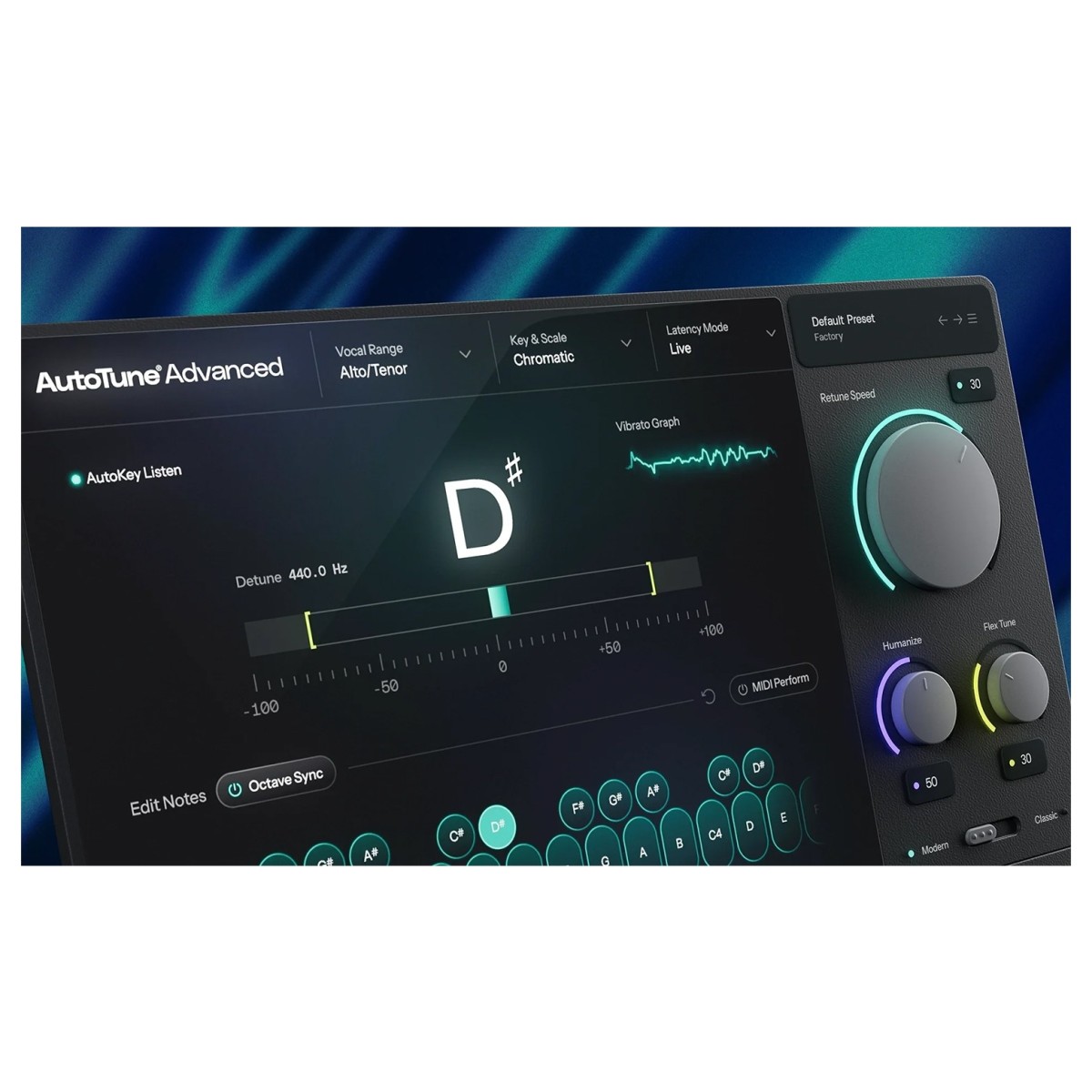
AutoTune Advanced sits between the streamlined workflow of AutoTune 2026 and the manual editing tools available in AutoTune Pro 11, with each version taking a different approach to vocal tuning.
AutoTune 2026 focuses on getting to a tuned vocal quickly. It provides the core AutoTune workflow alongside low CPU use, making it the more streamlined edition. Advanced adds considerably more control, starting with its updated pitch correction algorithm and DVA vibrato engine. You also gain sub-1ms Live latency, Formant Designer for independent transpose and formant shaping, and custom scale building using the 78-key Visual Keyboard.
AutoTune Pro 11 takes a different approach when detailed manual editing is required. It includes Graph Mode for visual, note-by-note pitch editing, plus Harmony Player for generating vocal harmonies. Neither Graph Mode nor Harmony Player is included in Advanced.
Instead, AutoTune Advanced remains centred on Auto Mode, letting you shape automatic correction through Retune Speed, Flex Tune, Humanize, DVA, Formant Designer, and per-note scale controls. So, AutoTune 2026 provides the streamlined core workflow, Advanced adds deeper automatic correction and real-time performance controls, while Pro 11 retains the dedicated Graph Mode and harmony-generation tools.
Specifications
- Operating system:
- Mac: macOS 14 or higher
- Windows: Windows 10 and 11
- Format:
- Mac: AAX, AU, VST3
- Windows: AAX, VST3
- Sample Rates: 44.1kHz – 192kHz
- Bit depth: 16/24/32-bit Float
- Product code: 1015-95